
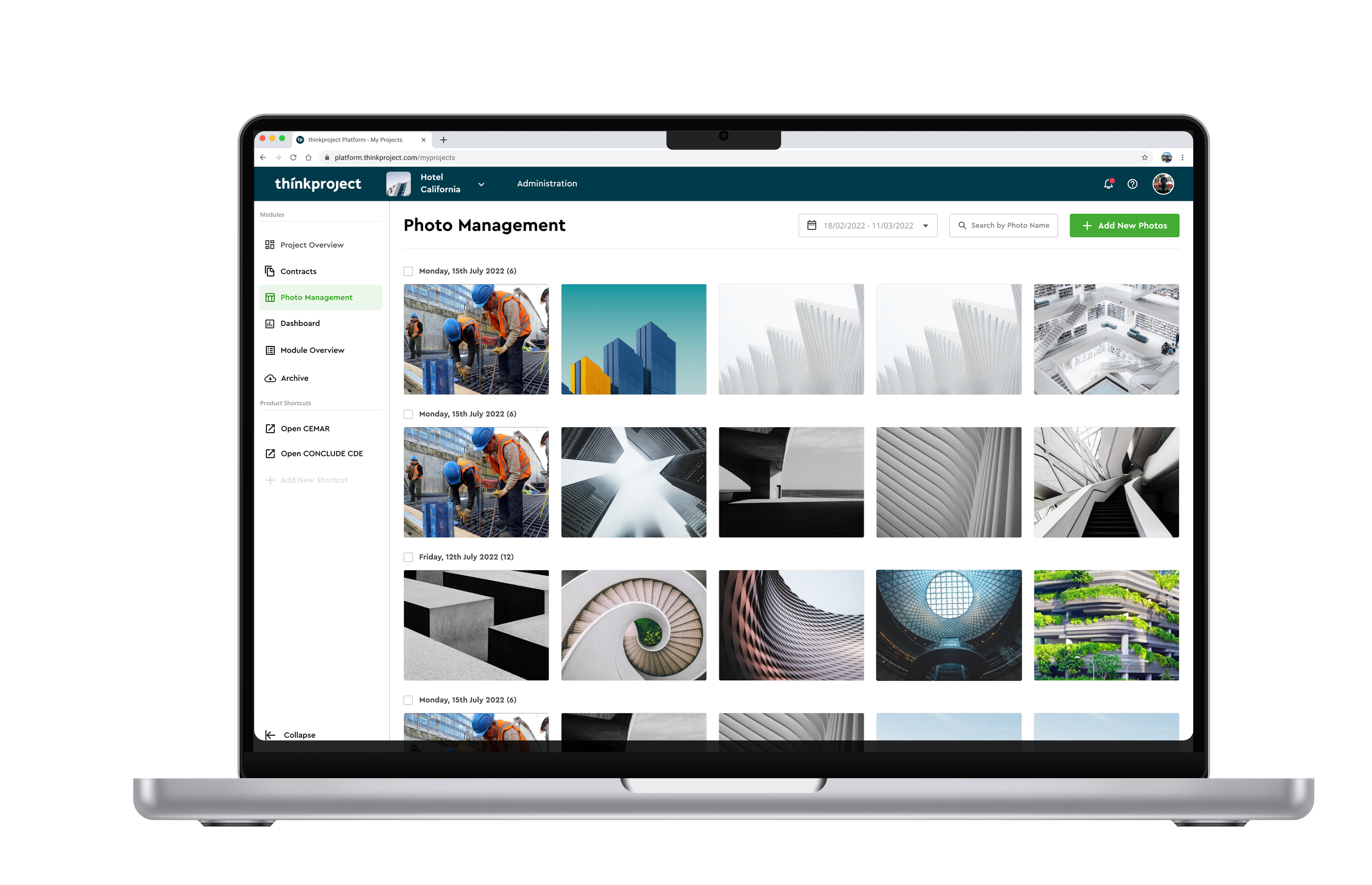
Company Overview & Problem
Thinkproject is a leading construction intelligence platform that drives digital transformation in the construction industry.
Through multiple acquisitions, Thinkproject inherited a diverse range of tech stacks and UX maturity levels, leading to inconsistencies in the user experience. Our Leadership initiated a new platform product to integrate and unify 9 independently sourced solutions, creating a seamless and cohesive user experience.
Process
Over an intense 3-week period, I conducted time-efficient research and hands-on design of high-fidelity prototypes, leading to a rapid implementation of the solution.
- Building Empathy — With limited time and budget, I defined most problems and needs using existing personas from previous projects and marketing insights
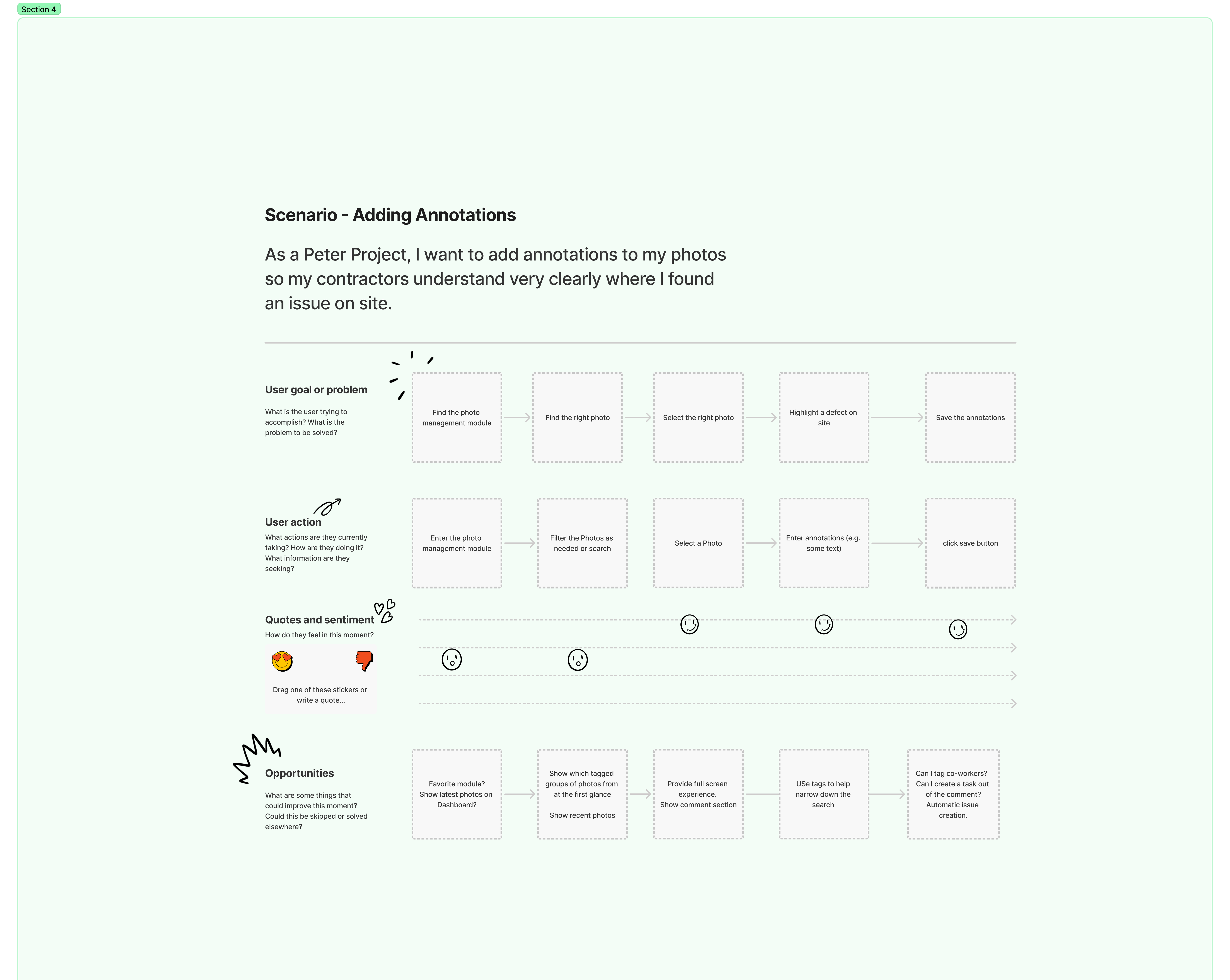
- Journey Mapping & Flows — I created user journey maps for the 3 most critical use cases in the photo management system, starting each with a scenario to build empathy with the user from the beginning
- High Fidelity Prototyping — I leveraged our design system to quickly generate high fidelity prototypes based on the user flows
- Usability Testing — We conducted five remote usability tests to validate the solution. I ran the interviews while my team members documented feedback in real time using a Miro template with virtual sticky notes
Building Empathy
Since we didn’t have the time or budget to conduct a lengthy user research study, I defined most problems and needs based on existing personas that we defined with other projects and the marketing team.
Construction project manager responsible for budget, timelines, and site documentation.
Needs and wants based on persona:
- I need to see role-specific information so that I can quickly access the most relevant data for my responsibilities without sifting through unnecessary details
- I need clear project management KPIs to monitor budget, timelines, safety compliance, and overall project progress at a glance
- I need to manage project photos efficiently so that I can document site conditions, track progress, and share visual updates with my team and stakeholders
Based on business goals and user insights, we prioritized a Project Dashboard and Photo Management functionality as the core focus for the MVP.
I developed user journey maps for the most critical use cases for the photo management functionality and KPI Dashboard in FigJam. Each map I started with a user story to help build empathy with the user right from the start.
High Fidelity Prototyping
I used the Thinkproject Design System, developed to unify the design language across 9 different products, providing a foundation for consistent design and rapid prototyping.

Figma as our Design System's platform

Inspired by Google's Material Design principles

Storybook as code UI reference and component library
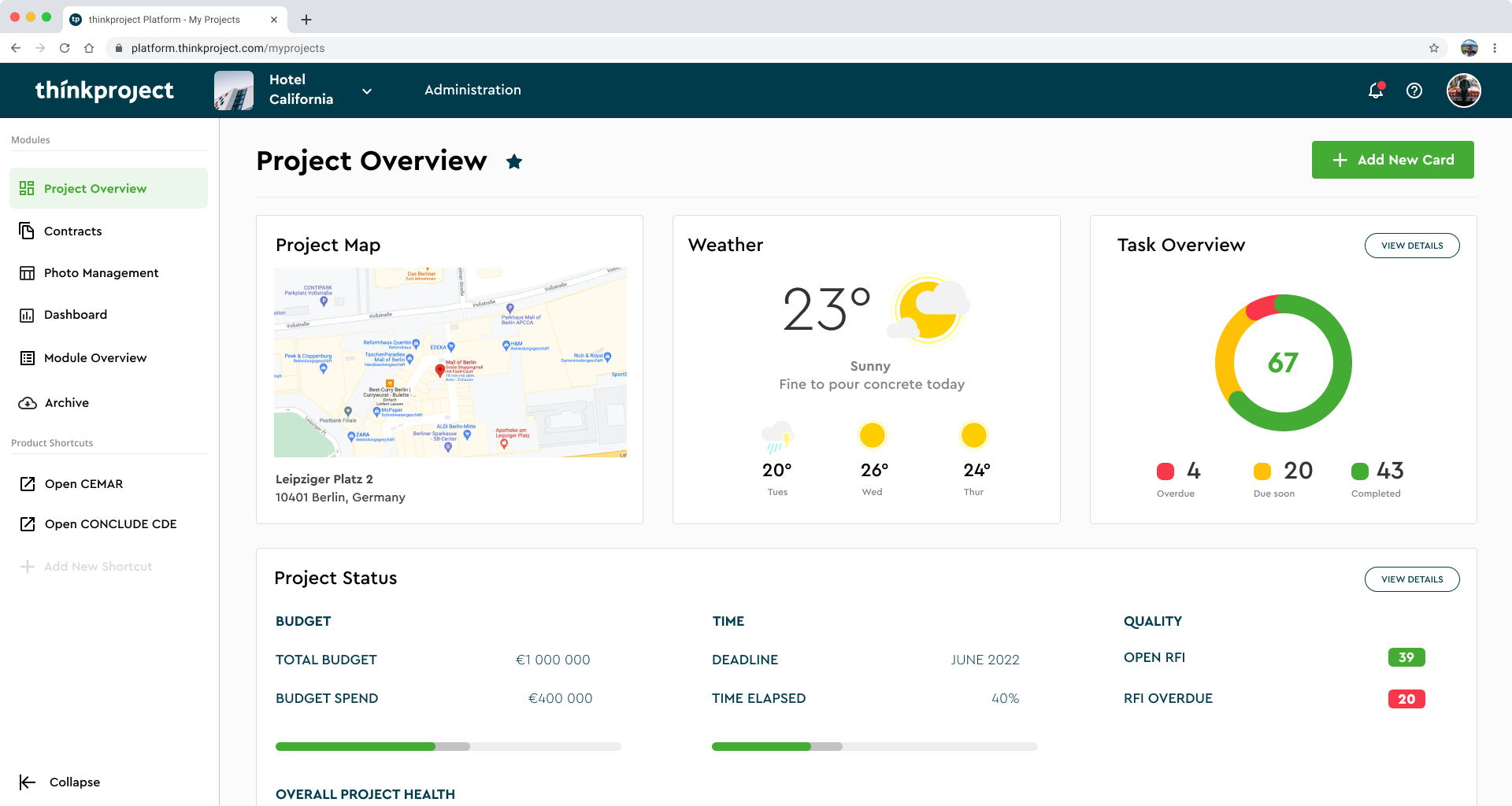
Project Overview
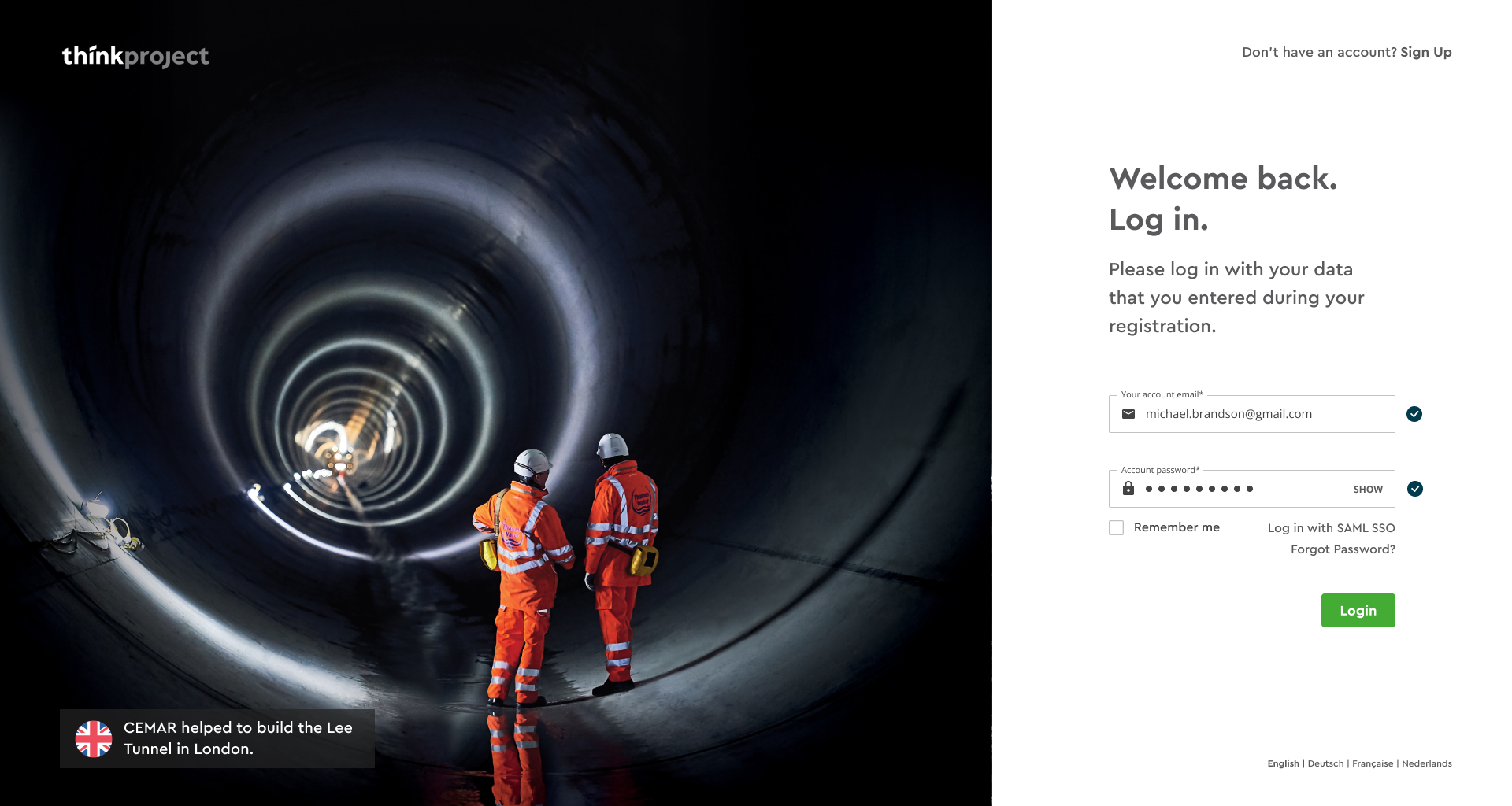
I designed a Project Overview page as the central hub for all integrated products, serving as the primary entry point for users upon logging in. The integrated products (e.g. Conclude and Cemar) are highlighted in chips within the project card.
Dashboard
In the user interviews we discovered that the most important metrics for a construction project are Budget, Time, and Quality. The goal of the Project Overview is to understand the health of the project at a glance. Based on available integrations, construction managers can add new cards to the Project Overview.
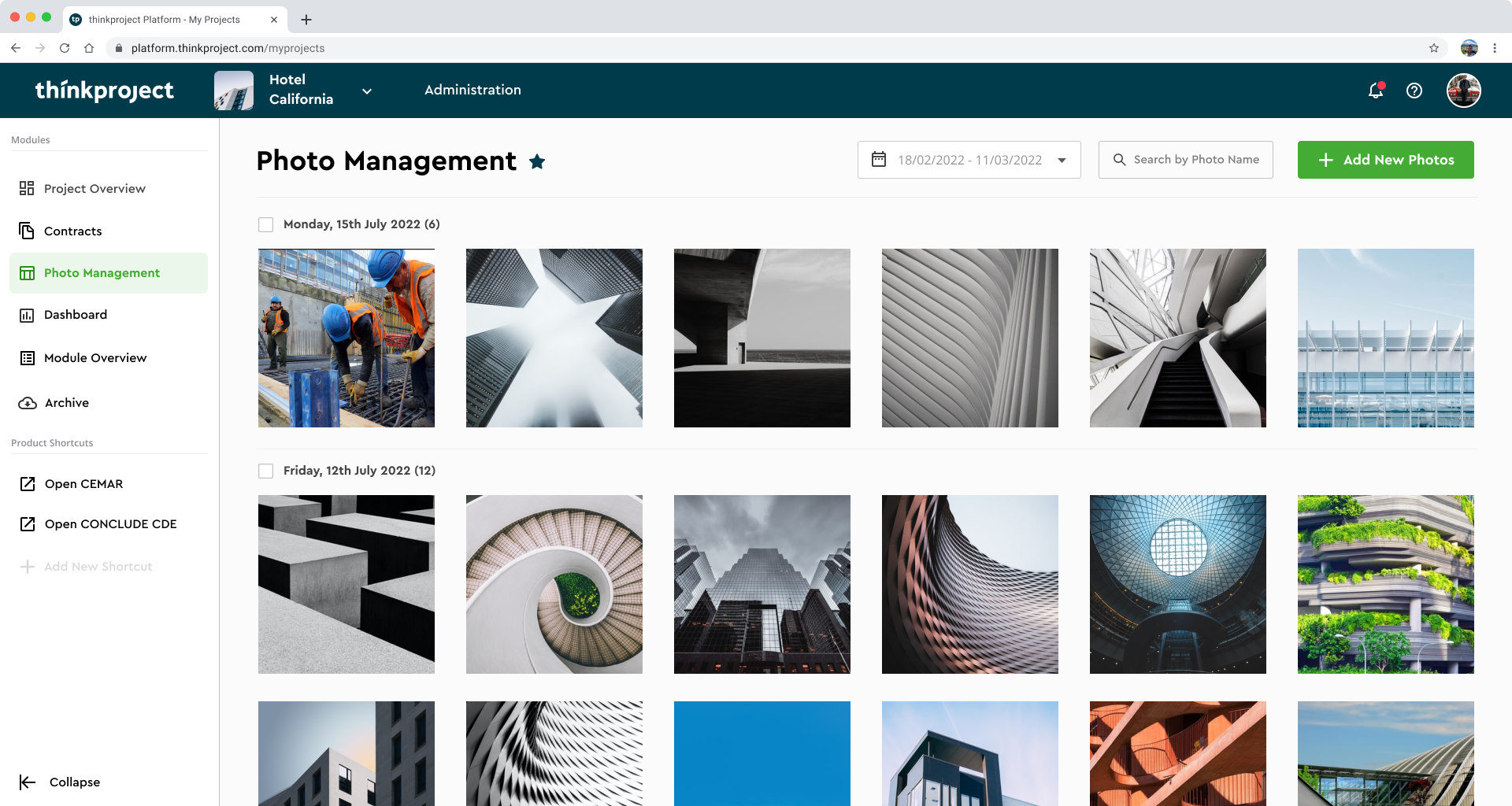
Photo Module
The most important function of the MVP was to upload new photos and filter existing photos by date. During user interviews I learned that construction managers prefer to organize their photos by date.
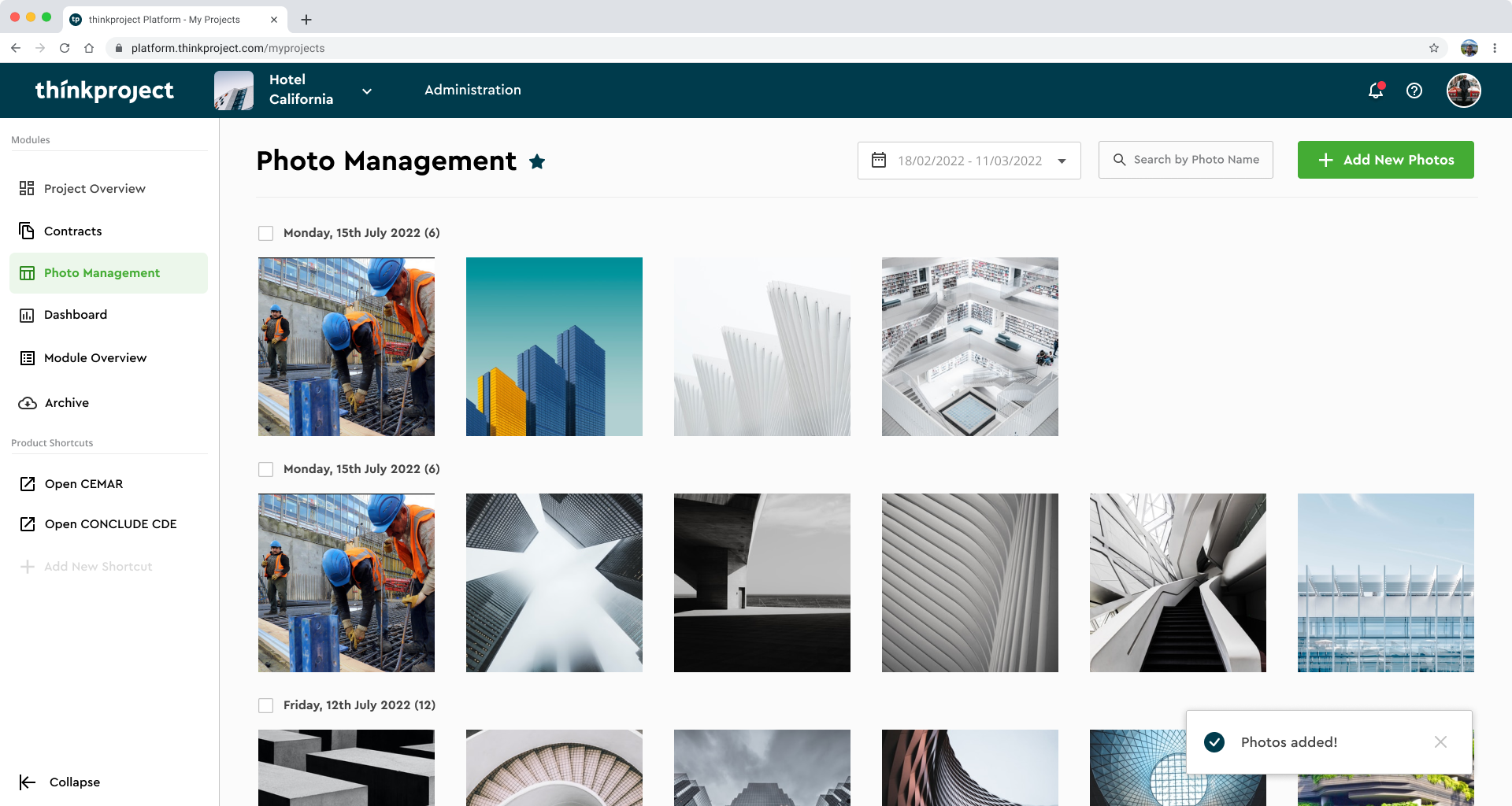
Photo Upload
The user uploads new photos via drag-and-drop via the upload wizard. The upload experience is a dedicated flow to create a focused experience and reduce cognitive load. Leveraging existing components, such as the upload experience, enabled rapid iteration.
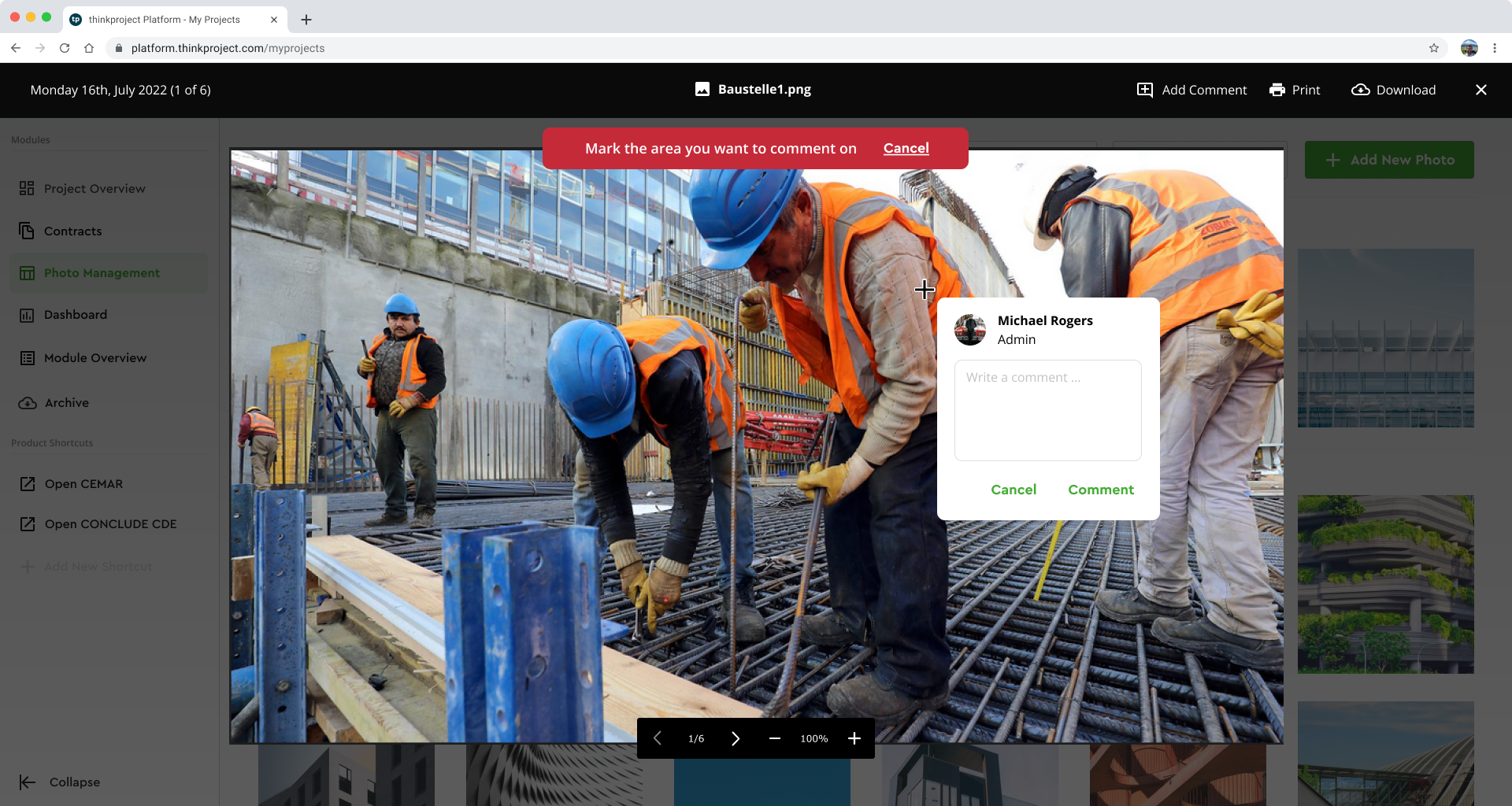
Photo Comments
Adding precise comments on photos enables construction managers to document progress and flag defects on specific dates. Users can add with a crosshair a comment to precisely highlight progress or issues on site.
Outcomes & Lessons
We defined a product vision that aligned stakeholders and streamlined construction workflows, enabling rapid MVP development in just 3 weeks.
Key Outcomes & Results:
- A product design vision that aligned stakeholders and C-level executives, driving momentum for a new product direction at Thinkproject
- The photo management module allowed construction managers to quickly upload, review, and comment on photos, significantly streamlining documentation and progress-tracking workflows
What I Learned:
- The Thinkproject Design System enabled rapid MVP development, allowing us to complete it in just 3 weeks
- Focus on Design Patterns: For table stakes features where users are already familiar and have ample experience, identifying and leveraging existing design patterns is invaluable