
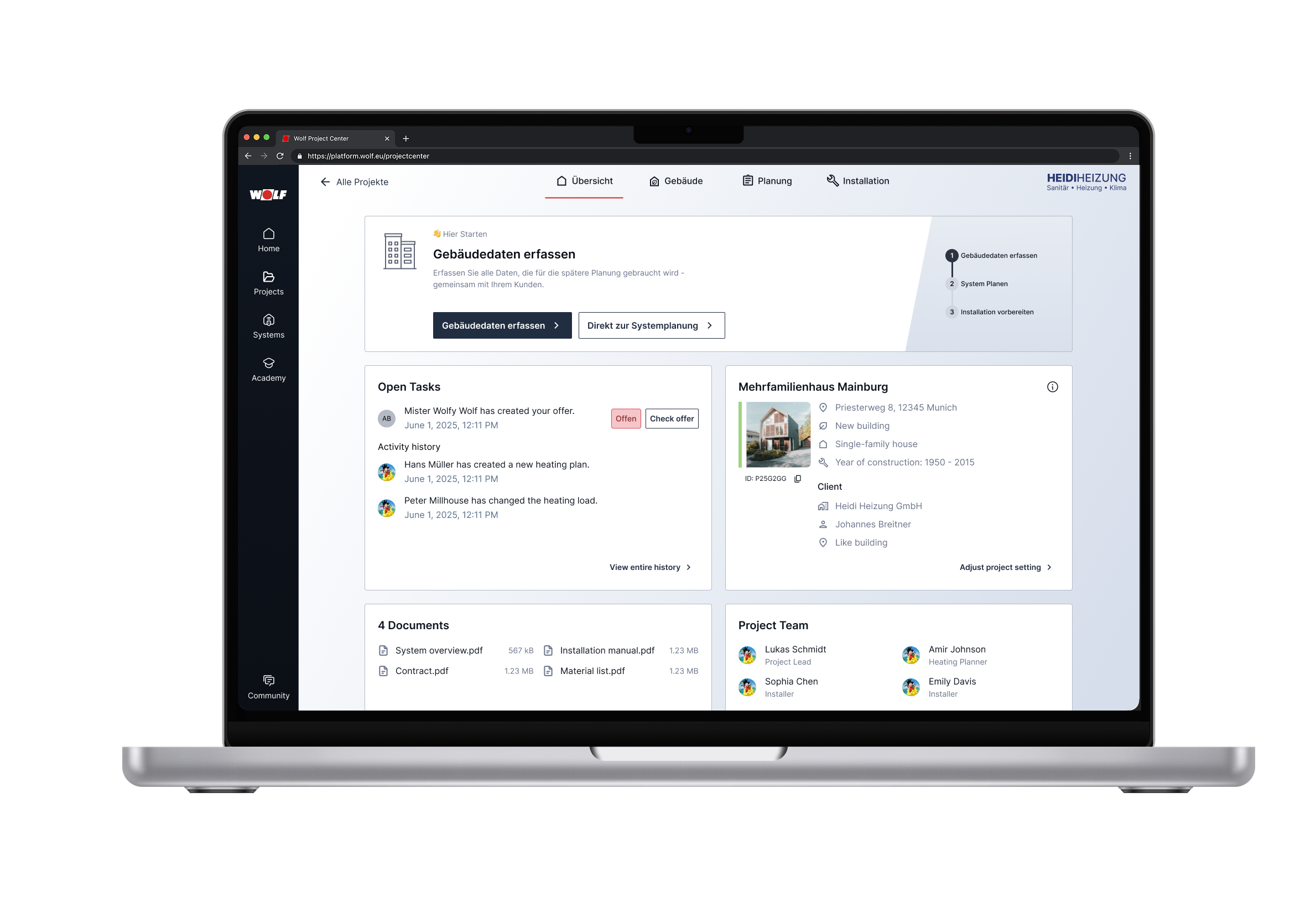
Company Overview & Context
Wolf GmbH manufactures heating systems for the German B2B market. Their customers are heating system installers, not end consumers, who hold significant purchasing power. In Germany, homeowners consult installers who then specify and purchase systems, making installer experience a direct competitive advantage.
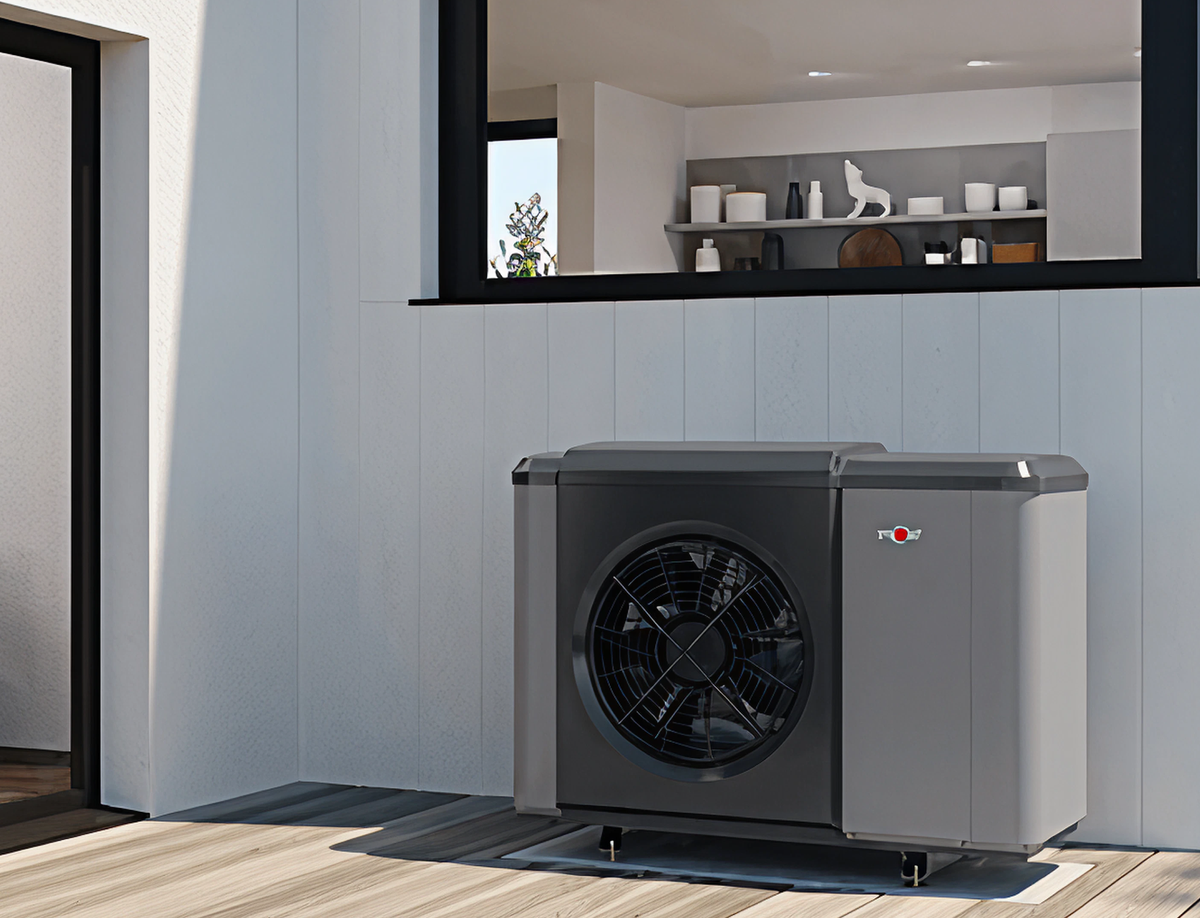
The Problem
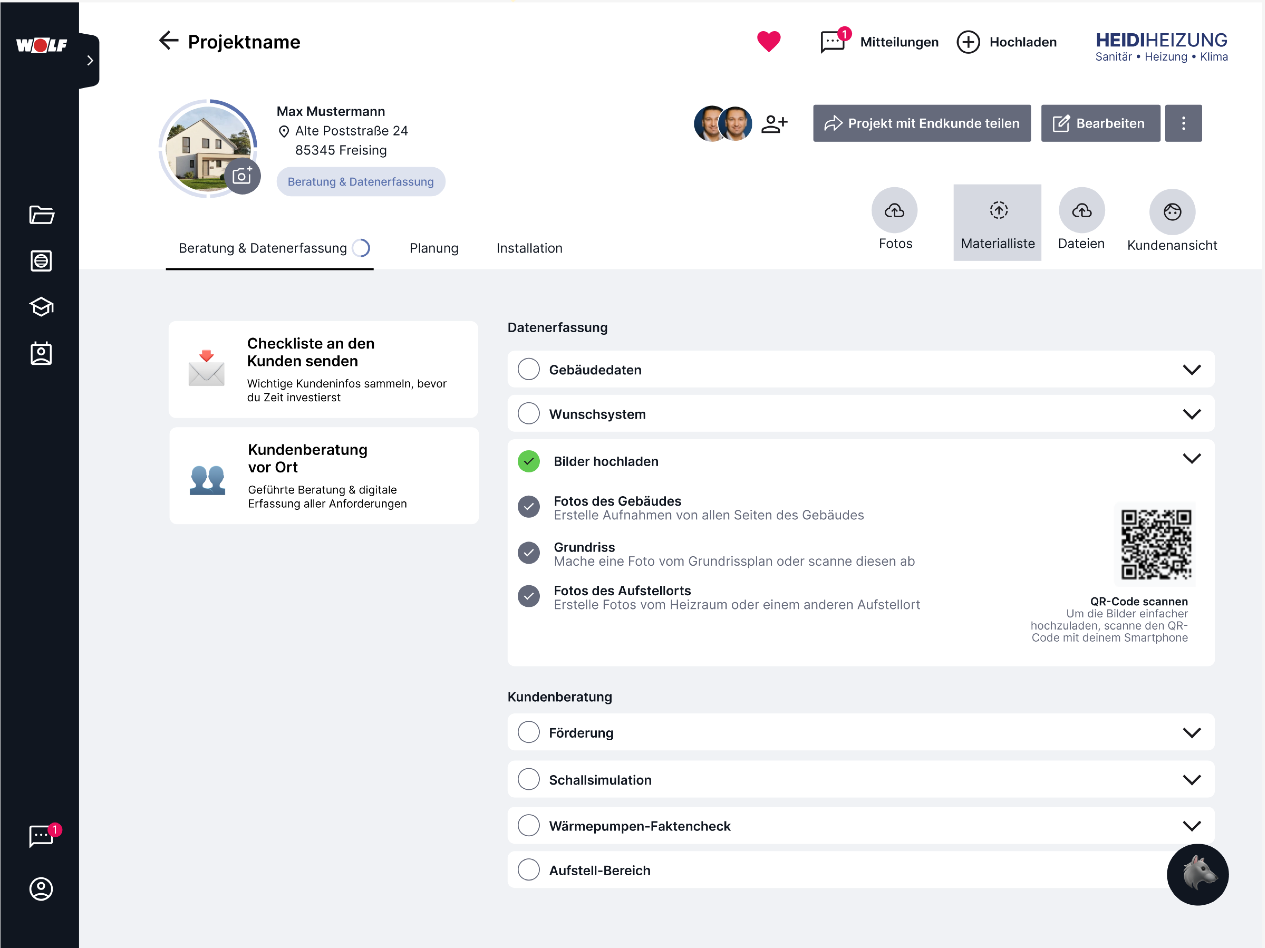
HVAC installers planning heating systems with Wolf had no single source of truth to manage their projects.
What users dealt with:
- Manual communication with sales via email and phone
- Documents lost, same information requested repeatedly
- No transparency on project status
- No central space for planning documents
What the business faced:
- Competitors offering full digital ecosystems
- Sales team doing non-productive manual work
- Losing customers after the planning phase
- Younger installers expecting modern digital tools
The Challenge
This project was stuck. Two designers already attempted it, but their concepts never shipped.
What went wrong before:
- Tried to map requirements 1-to-1 onto the interface
- Cluttered and unusable screens
- No clear user journey or CTAs
- Asking stakeholders “what solution do you want?” instead of “what outcomes do we need?”
Reframing with Outcomes
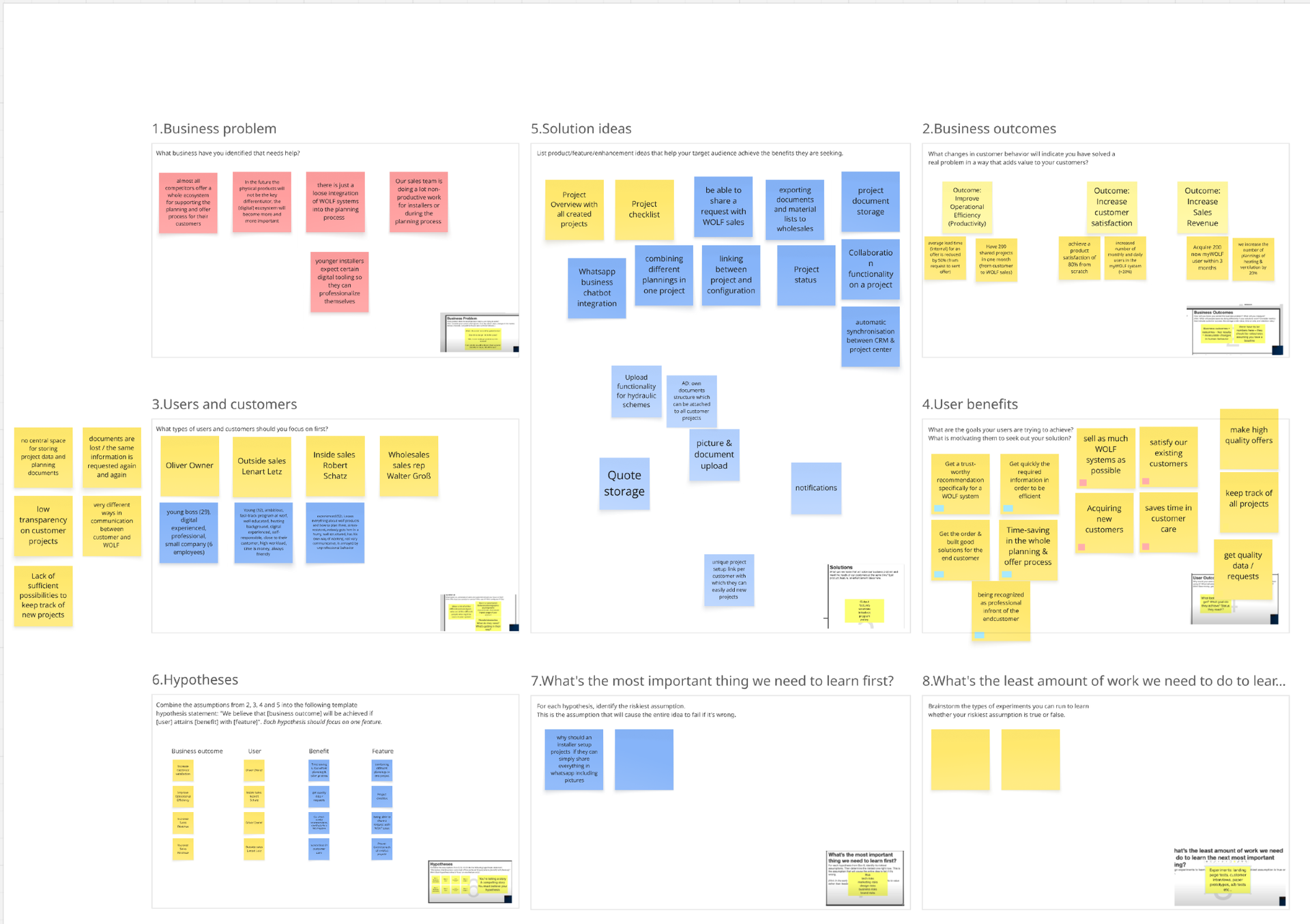
I used the Lean UX Canvas to create focus and shift the conversation from features to outcomes.
Key business outcome identified: After users finish planning, they should request an offer with Wolf AND/OR document their installation in Project Center. The goal: don’t lose the customer after planning.
Core user journey: Planning → Request Offer → Installation → System Management
Discovery Workshop
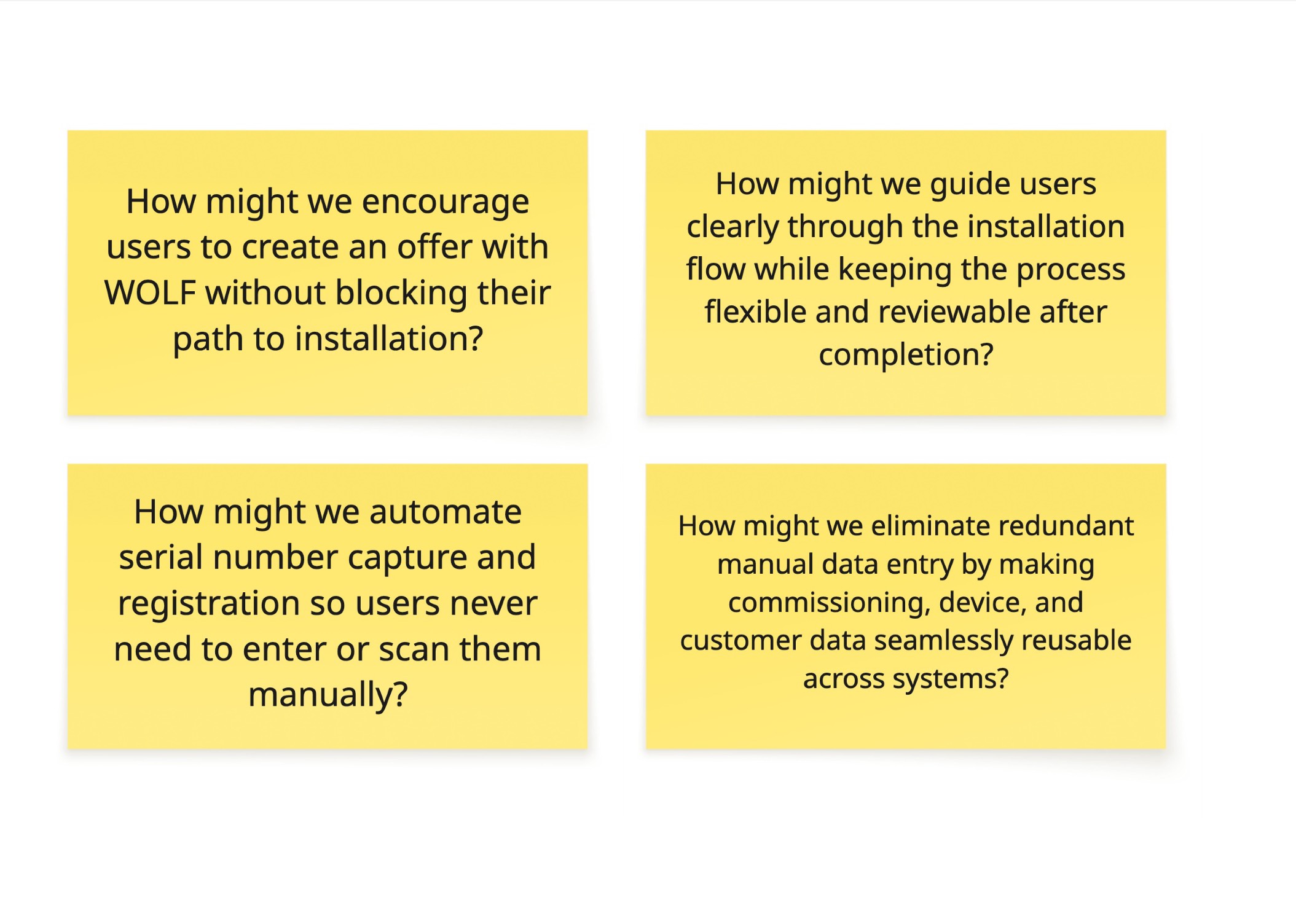
I facilitated workshops with stakeholders to define pains and needs for the offer and installation stages. HMW Statements from the Workshop defined my MVP scope.
Opportunity Mapping
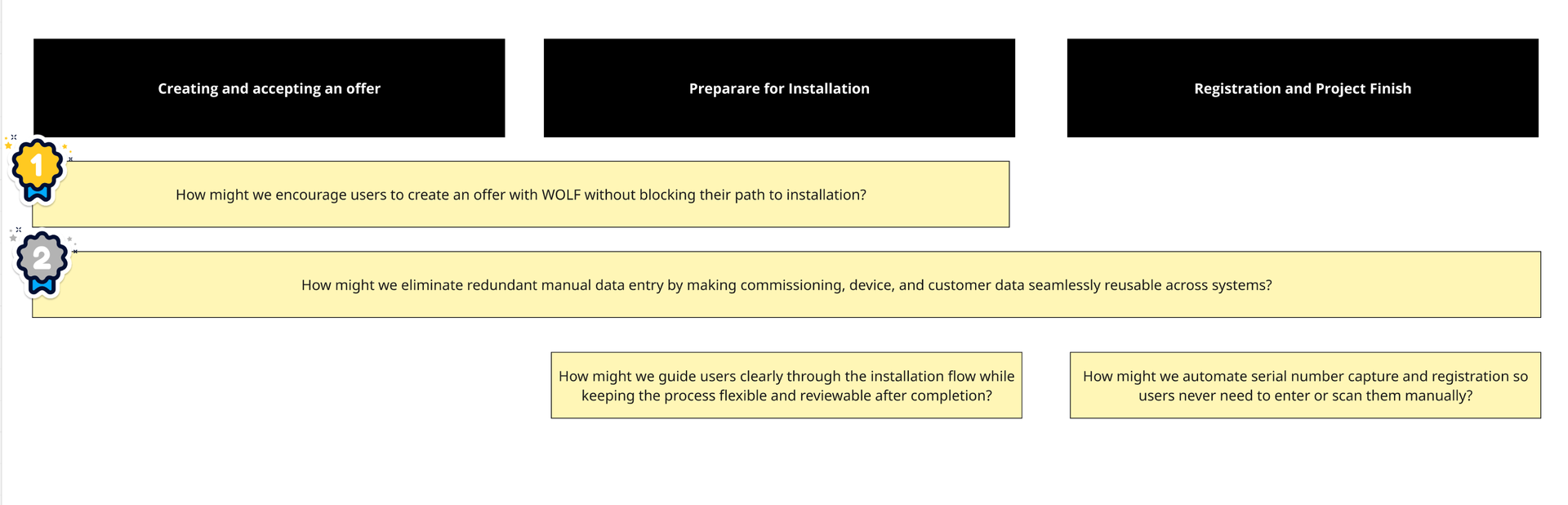
I prioritized HMWs by business impact and scope:
- Is the revenue enabler
- Is business critical to integrate 3 systems together into a seamless user experience
The Solution
Planning Overview
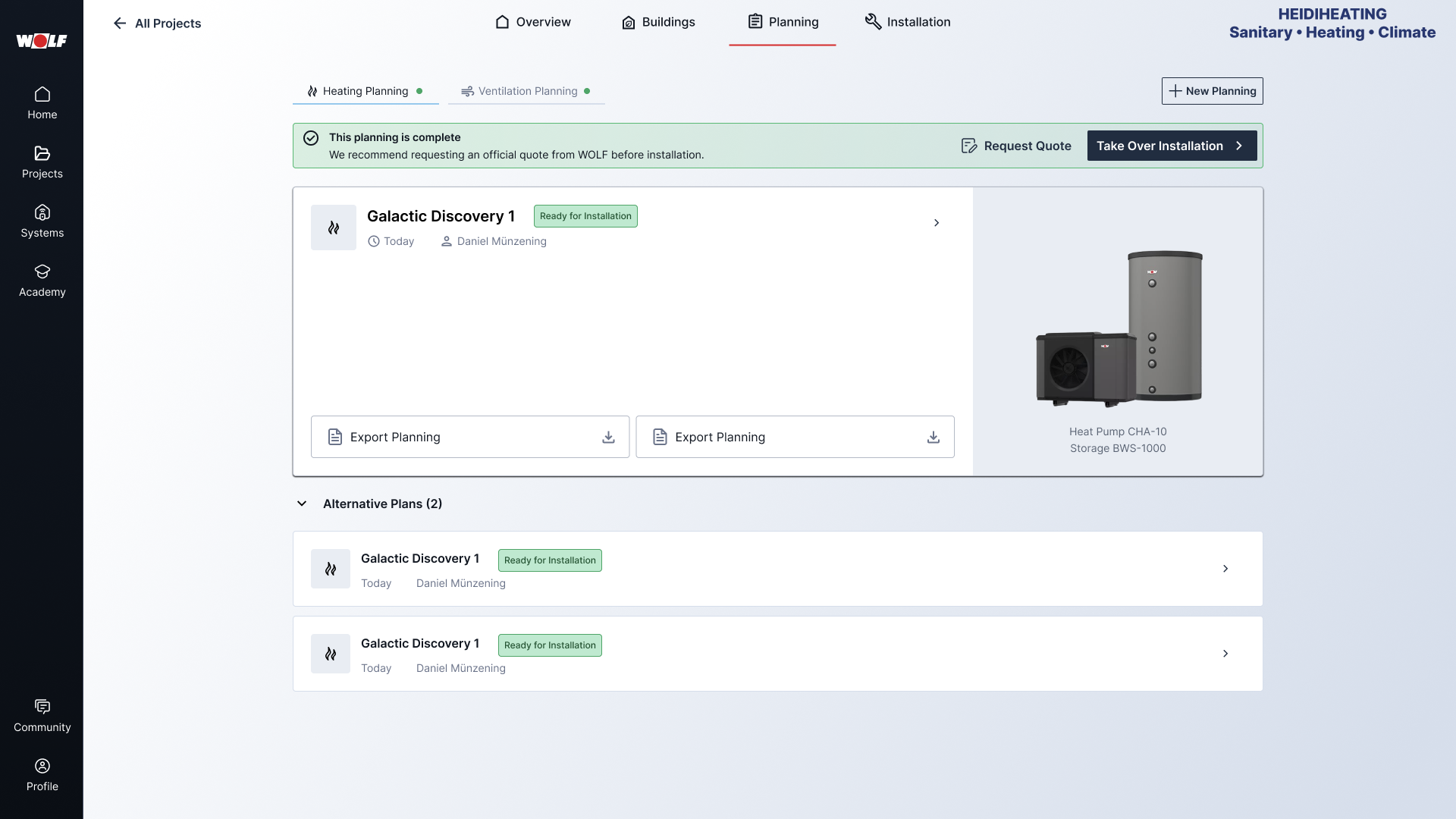
After completing a heating plan, users land on a planning overview with a clear decision point:
- Primary CTA: Request an offer from Wolf
- Secondary CTA: Move directly to installation
The hierarchy is moving the user towards the business goal.
Offer Flow
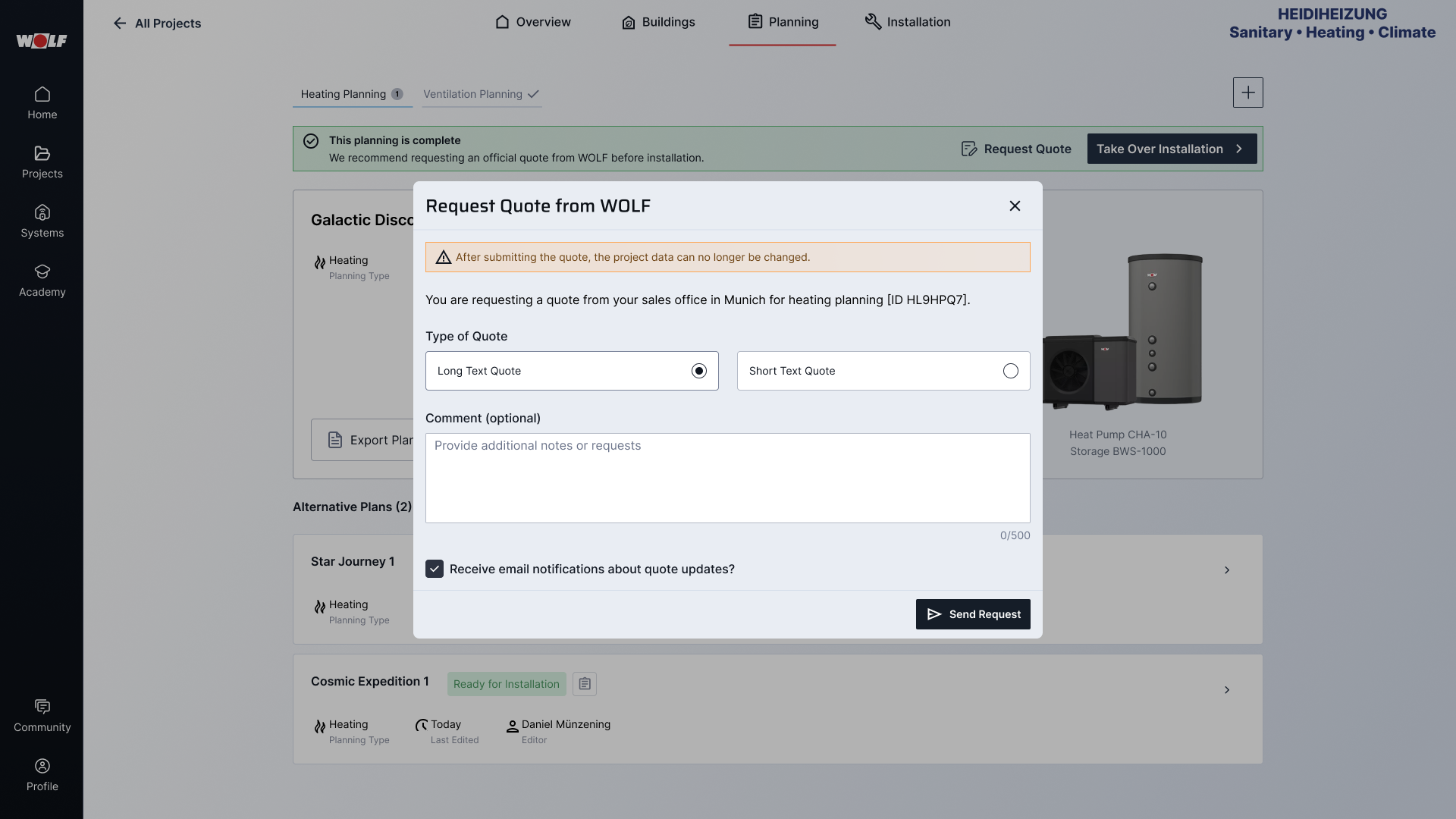
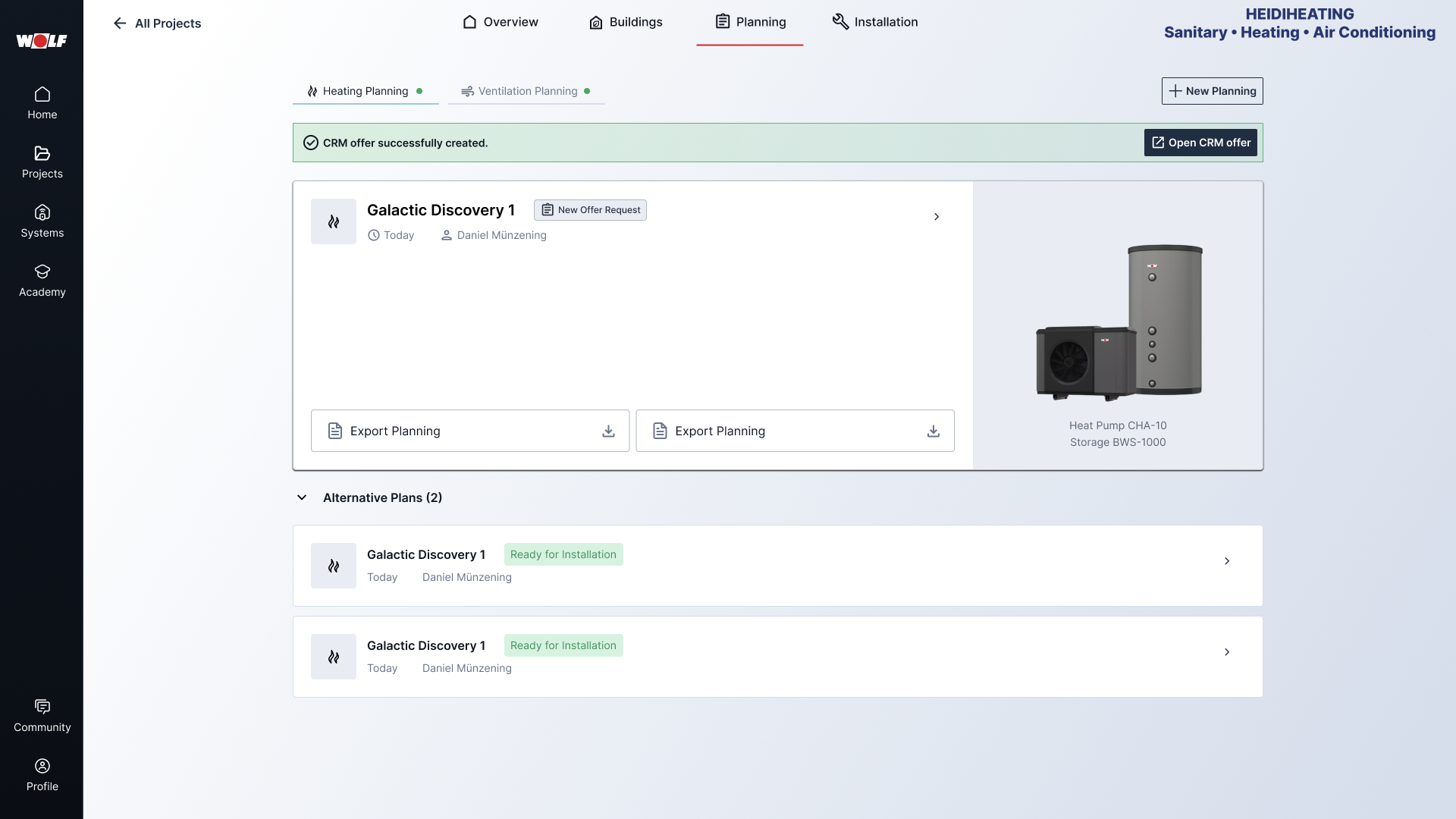
Requesting an offer: The offer request is intentionally lightweight — just offer type and an optional comment. Reducing friction here matters because this is the key conversion moment: a completed plan turning into a sales opportunity. After submitting, a status badge confirms the request is in progress.
For Wolf Sales (Internal View): Sales receives an email with all project details and a direct link into the platform. On arrival, a banner surfaces the new request with a one-click action to create the CRM offer — no searching, no context-switching.
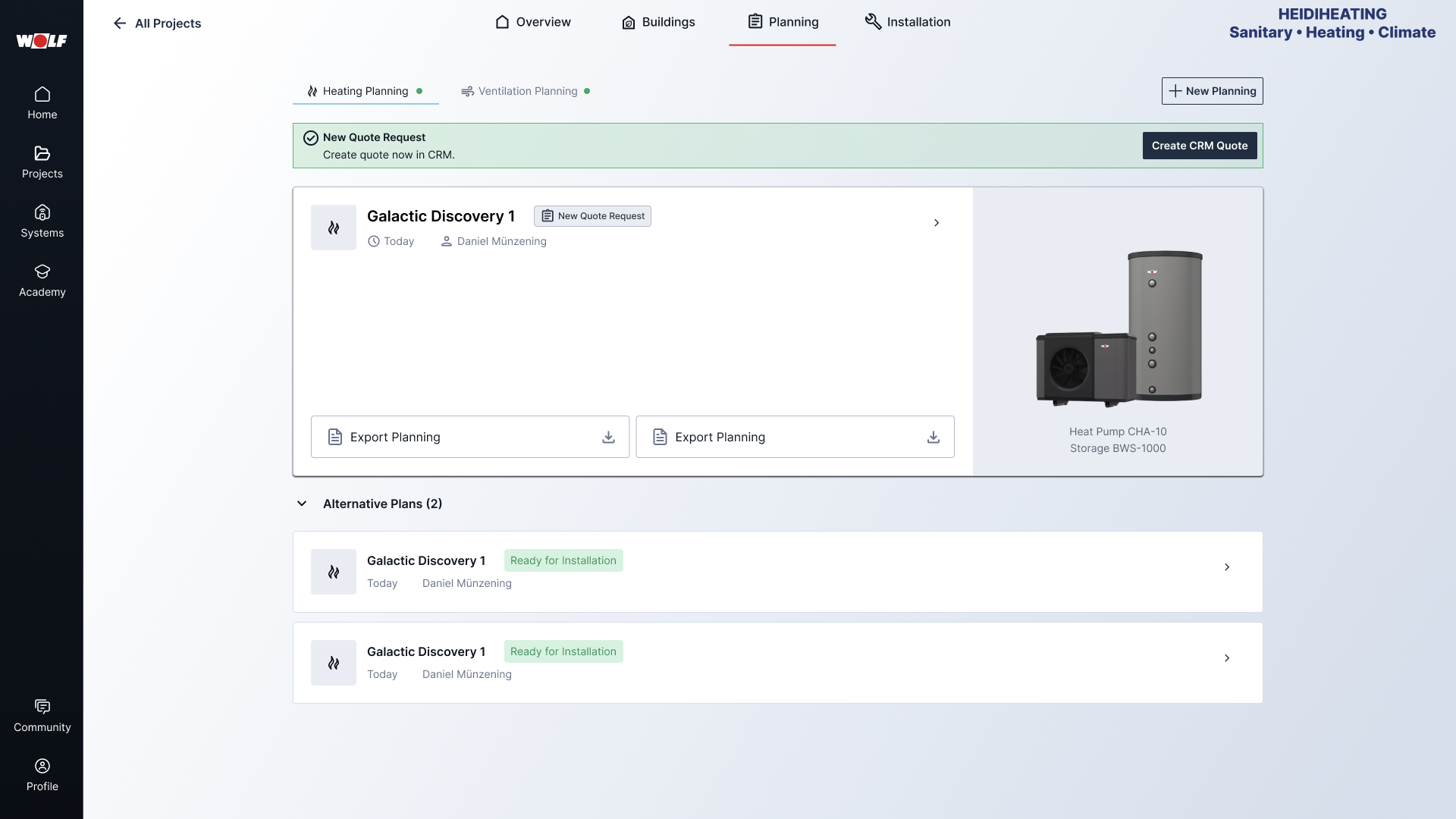
Design reasoning: Project Center and Sales CRM were owned by different teams with no backend integration. Instead of waiting for infrastructure, I designed a workflow bridge using email notifications and clear CTAs.
Installation Flow
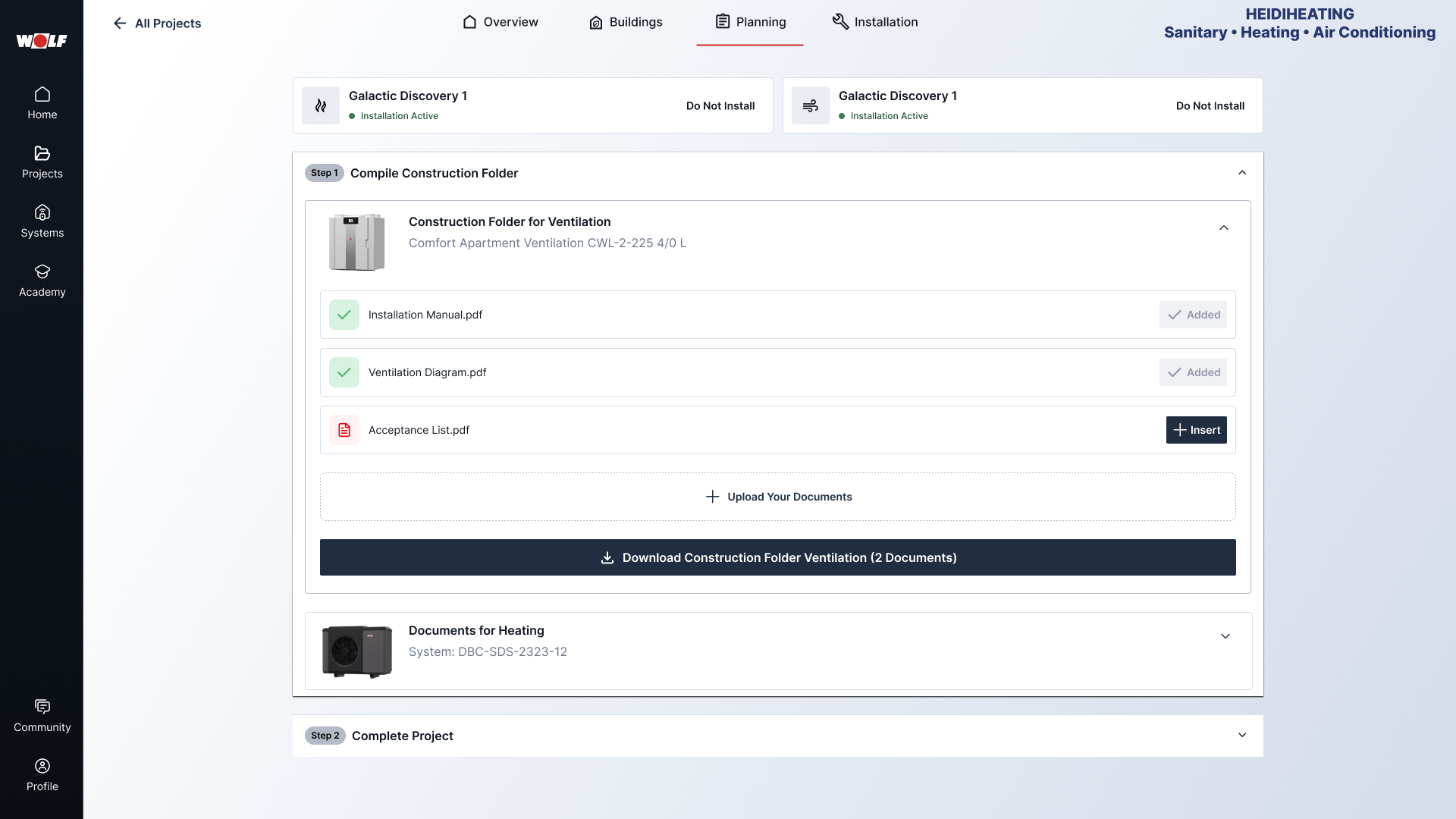
Step 1: Construction Documentation — All relevant documents in one place per system. Installers can upload custom documents or choose from a curated selection.
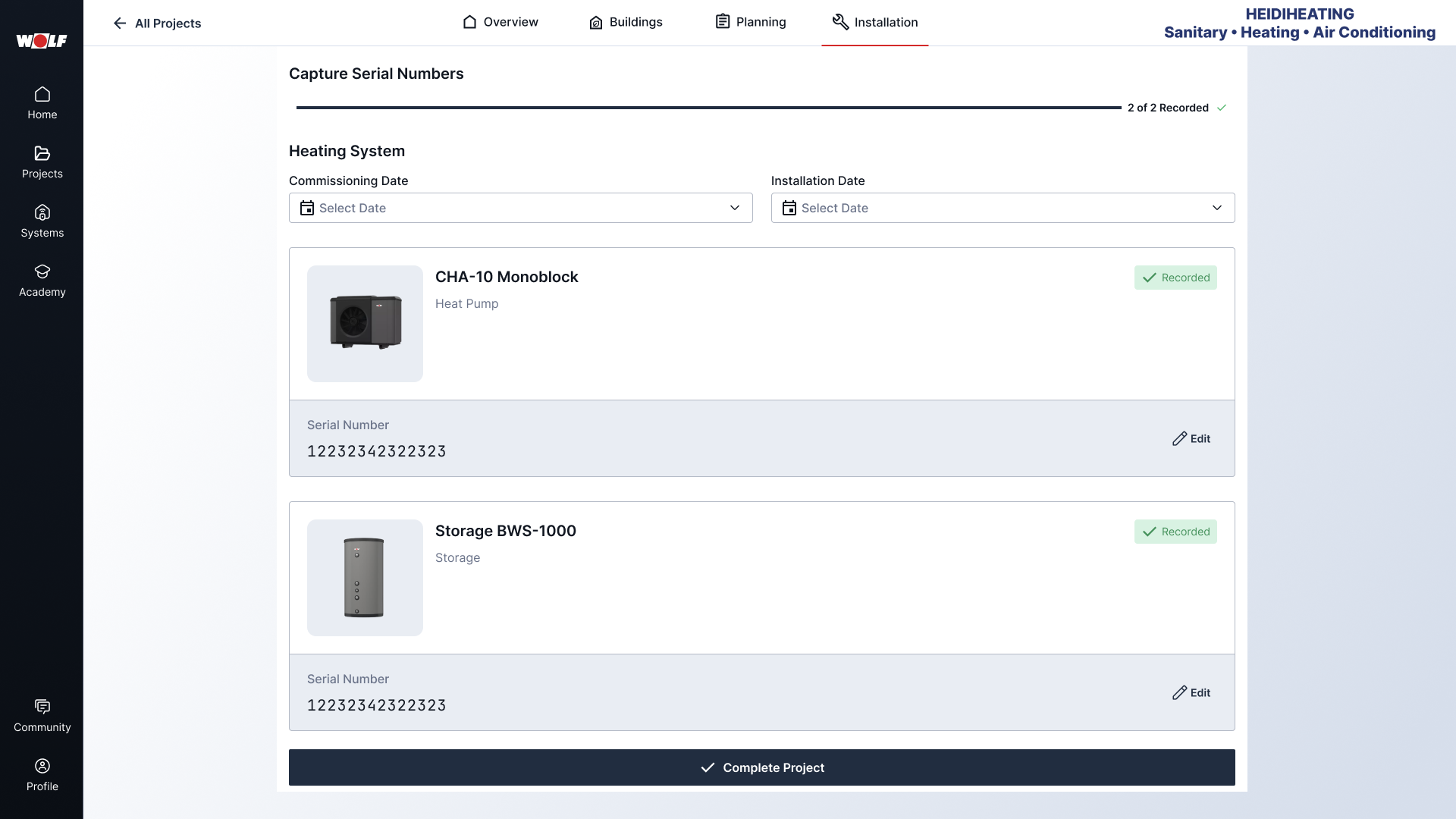
Step 2: Project Completion and Serial Number Entry — Installers need to register serial numbers for each system component to complete a project. The flow guides them through each component with inline validation and tracks progress toward completion.

Results & Metrics
“It’s great that I can now directly claim the 5-year extended warranty because of the serial number registration process.”
- 100% task completion without assistance
- 4/5 average satisfaction and usefulness rating
Tested across 2 rounds with 3 installers each, covering the offer request and installation flows. Between rounds, we simplified the serial number input by adding a clear empty state CTA after testers struggled with knowing what to do on the page.